


Vidix-AI Photo Video Generator
4.2550.00 Reviews
App Specs
- Version
- 1.3.0
- Updated On
- License
- Free
- Downloads
- 10,000,000+
- Developer
- Supercool Labs
- Categories
- Art & Design
- Platform
- Android
Screenshots

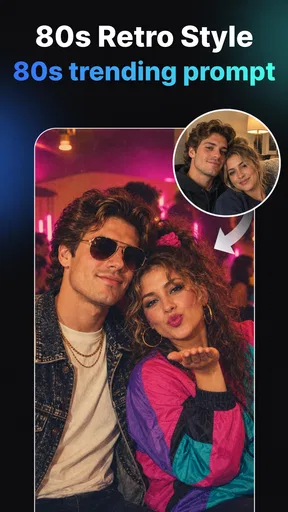

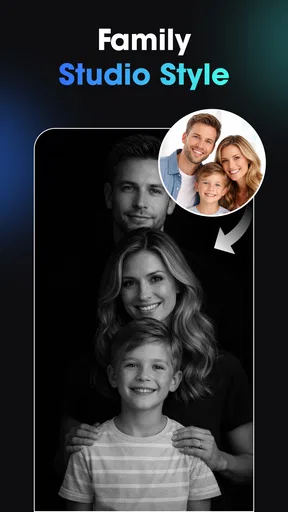
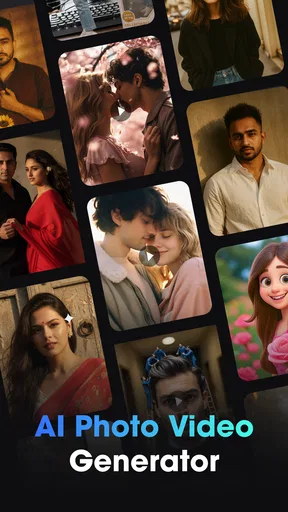

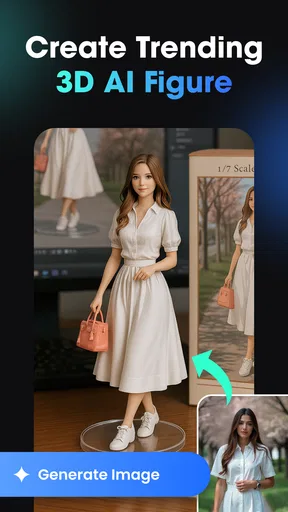
 Analysis by AppCompare
I judge a creative app not only by the images it can make, but by how well it fits the moments when I actually want to make them: a spare few minutes, a photo ready to share, or a connection that is less reliable than I’d like. Vidix is an art and design app from Supercool Labs focused on AI-generated photos and videos, with filters, effects, and 3D-inspired styles at its center. That makes it appealing if you want to transform a picture quickly, though the experience is best approached as a creative tool rather than a replacement for a full photo or video editor.
Creative results depend on more than the effect
I’d use this section to look beyond the immediate visual impact and consider whether a generated image still serves its original purpose. Before settling on an effect, I find it helpful to decide what needs to stay recognizable—such as a face, a product, or the mood of a scene—so the next section can focus on choosing a source image and style with that goal in mind.
Where connectivity enters the creative process
AI creation is different from applying a basic adjustment such as cropping or changing brightness. A request may need to be processed before the finished result appears, so a dependable connection can matter at the point when you are trying a style or generating something new. I would use Vidix when I have enough signal and a little time to experiment, rather than counting on it to produce a finished asset in the middle of a rushed task.
This affects the way I’d plan a session. If I were choosing a look for a profile image, I’d open the app while connected, test a small number of directions, and save the result I like before switching to another task. That is a more reliable workflow than waiting until the last minute to create an image just before posting it. The app’s emphasis on AI photos and video makes that distinction useful: inspiration can arrive anywhere, but the actual generation step is better treated as work that may depend on a stable connection.
I would also separate browsing for an idea from finishing a piece. When I know the mood I want—playful, polished, or deliberately surreal—I can make more purposeful choices instead of repeatedly tapping effects without a goal. That saves time and helps me tell whether a style is genuinely working for the image, rather than simply looking striking in isolation.
Using it in ordinary mobile situations
Vidix is naturally suited to short creative sessions on a phone. I can imagine using it after taking a picture at a gathering, while waiting for a friend, or during a break when I want to turn an ordinary portrait into something more stylized. Its mix of photo and video creation also gives it a broader role than an app limited to static filters: it is aimed at people who want their visual posts to feel more animated or distinctive.
The mobile setting also has practical limits. A small screen is comfortable for choosing a look and judging the overall impression, but it is not ideal for inspecting every detail in a complex image or making precise edits across a long video. I’d use Vidix to explore a creative direction and produce a social-ready result, then move to a more detailed editor if I needed careful timing, layered adjustments, or exact control over a finished project.
Worth Reading Before You Choose

Flipboard Shows What News Apps Must Do Beyond the Feed

Switching to Android Auto Means Rethinking Your Driving Routine

Google Calendar Makes a Crowded Week Easier to Manage

Ludo King Makes the Most of the Minutes Between Plans

Baby Panda World Brings Quick Play to Modern Phones, but Its Game Library Feels Busy

ESPN’s Live Game View Makes Following Close Games Easier
A realistic use case is preparing a quick visual for a personal post. I’d start with a photo that already has a clear subject and good lighting, try a style that supports that subject, and compare the result with the original before sharing. A strong effect can add personality, but it can also compete with the face or object that made the photo worth using. Keeping the source image simple gives the AI treatment a better chance of feeling intentional.
When a generation stalls or the result disappoints
For any app that relies on AI creation, I think it is sensible to expect occasional friction: a slow response, a result that misses the intended look, or a session interrupted by a weak connection. I would avoid repeatedly submitting the same request in a hurry. First, I’d check whether the connection is stable, wait for the current attempt to finish, and then adjust the input or choose a different style if the output is not close to what I wanted.
That small change in approach matters. If a portrait comes back too heavily transformed, for example, I’d try a less dramatic direction rather than treating the first result as a failure of the whole app. If a video task is taking longer than the moment allows, I’d switch to a photo-based idea or return when I have more time. A creative app is more enjoyable when I treat generation as experimentation, not as a guaranteed one-tap route to a precise deliverable.
I would also keep a copy of the original photo or clip outside the editing flow before trying a treatment I care about. That is a general precaution for mobile creative work: it leaves the source available if a generated version is not usable or if I want to compare several interpretations later. It is especially helpful when making a piece for a specific occasion rather than experimenting just for fun.
Making thoughtful choices about data and spending
Because Vidix creates AI imagery and video, I’d be selective about what I submit. Personal portraits, images of children, and private scenes deserve more care than a casual landscape or an object shot. Before using any AI creation service with sensitive material, I would review the app’s current privacy information and permissions, and choose a less personal image if I had doubts. That is a prudent habit, not a claim about a particular policy.
The app is free to download and is rated Everyone, which makes it easy to try, but it also offers in-app purchases ranging from $0.99 to $79.99 per item. I’d explore the free experience first and pay only if I understand what an individual purchase provides and expect to use it. The upper end of that range is a reason to check purchase details carefully rather than assuming every effect or workflow is included at no cost.
Connection and spending are linked in a practical way: if I am unsure whether a style or video workflow suits me, I would test the app with a non-sensitive image and avoid buying anything until I know the result is useful. That lets me assess both the creative fit and the time involved before committing. It is a sensible approach for casual users who may only want an occasional stylized picture.
How it compares with familiar editing alternatives
Compared with a conventional photo editor, Vidix appears oriented toward AI-led transformations and quick stylistic changes rather than detailed manual correction. If my goal is to fix exposure, remove a small distraction, or make a carefully balanced crop, a traditional editor is likely the more direct choice. If I want to see a portrait or clip reimagined with a stronger artistic identity, Vidix is the more relevant place to experiment.
It also differs from a dedicated video editor. Vidix’s appeal is the creative treatment of AI photos and video, while a timeline-focused editor is generally better for assembling clips, controlling transitions, adjusting sound, and refining the order of a story. I would not choose Vidix as my only tool for a polished, multi-part video project. I would consider it one step in that process: make a distinctive visual, then bring it into an editor built for precise assembly.
The key trade-off is convenience versus control. AI styles can give a quick result that would take longer to create by hand, but the output may not match a precise mental picture. Someone who enjoys trying variations will likely get more from Vidix than someone who expects exact retouching controls or consistent results on the first attempt.
Who will get the most from Vidix
I’d recommend giving it a try if you enjoy visual experimentation, often share photos or short-form video, and are happy to judge a result by feel rather than by exact editing parameters. It is also a good fit for someone who wants a playful starting point for a post without learning a complex desktop workflow. The app has a 4.0 average from around 111,000 ratings, and it has been installed over 10 million times, suggesting a large audience has found a reason to explore it.
On the other hand, I would skip it if my main need were dependable offline editing, detailed color work, frame-by-frame video control, or a guaranteed match to a client brief. I would also be cautious if I only want a completely free tool and do not want to encounter optional purchases. A simpler editor may be less surprising and more predictable for basic corrections.
Vidix is currently at version 1.3.0 and requires Android 7.0 or later. Those details make it easier to check whether it fits an Android device before installing, while the free entry point keeps trying it relatively straightforward. The release date is November 27, 2025, so it is a comparatively recent option in a crowded creative category; I would judge it by how its current tools fit my needs rather than assuming it already covers every editing task.
Choosing a source image and style
One useful way to get more from an AI art app is to decide what must remain recognizable before choosing an effect. For a profile picture, I’d prioritize a clear face and a style that leaves the expression readable. For a travel snapshot, I might be more willing to let the surroundings become part of the transformation. That simple distinction helps me compare outputs on purpose instead of choosing whichever version is most dramatic.
I’d also avoid using a busy image as the first test of a new look. If the picture has several faces, cluttered backgrounds, or competing subjects, it can be harder to tell whether the style itself suits me. A single subject against a relatively uncluttered background is a better trial image; once I understand the general feel, I can decide whether the effect is worth trying on a more complicated photo. This is a practical way to reduce wasted attempts, especially when I’m on a limited connection or only have a short break.
My connectivity verdict
For me, connectivity is a planning consideration, not a reason to rule Vidix out. I would open it when I have a usable connection, start with a clear source image, and give generation enough time to return something worth comparing. If signal is unreliable or the task is urgent, I’d choose a basic editor for immediate adjustments and save AI experimentation for later.
That makes Vidix most appealing as a convenient creative companion for people who like trying visual ideas on a phone. Its AI focus can make ordinary photos and clips feel more expressive, but the best results require a little patience, sensible choices about personal images, and realistic expectations about control. If that balance sounds right to you, it is worth exploring; if you need precise editing or a workflow that never depends on a network, a more traditional tool will serve you better.
Pros
- Turns text prompts and photos into short AI-generated videos.
- Simple workflow makes creative effects accessible to beginners.
- Useful for creating eye-catching posts and profile content.
- Offers a quick alternative to learning complex video-editing software.
- AI styles can help make ordinary photos feel more distinctive.
Cons
- Generated results may not closely match the prompt or reference photo.
- Output quality and consistency can vary between generations.
- Some features or generation credits may require in-app purchases.
- Processing may take time
- particularly for more complex creations.
- AI-generated motion can look unnatural or distort faces and details.
FAQs for Vidix-AI Photo Video Generator
What is Vidix-AI Photo Video Generator?
Vidix-AI Photo Video Generator is an app that uses artificial intelligence to turn photos into animated video clips. Depending on the tools available in the current version, you may be able to choose an effect or template, add an image, and let the app generate motion or other visual changes. Check the app listing and in-app descriptions for the specific features currently offered.
How do I make a video with Vidix-AI Photo Video Generator?
The typical workflow is to select a photo from your device or capture one, choose an available AI effect or video style, and start generation. The finished clip can then usually be previewed and saved or shared, subject to the app’s features and permissions. Results may vary with the image, effect, network connection, and processing time, so follow the prompts shown in the app.
Is Vidix-AI Photo Video Generator free to use?
Whether the app is free, and which features are included at no cost, can depend on its current store listing and version. AI generation apps may offer limited free use while reserving additional effects, exports, or usage credits for in-app purchases or a subscription. Review the pricing details, trial terms, and renewal conditions in the app store before confirming a purchase.
Does Vidix-AI Photo Video Generator require an internet connection, and what photo permissions does it need?
AI video generation may require an internet connection if images are processed online, though some basic functions could work differently depending on the version. The app may request access to selected photos so you can provide an image, and access to your library may be needed to save a result. Check permission prompts and the privacy policy to understand how images and related data are handled.
Can I share or use videos made with Vidix-AI Photo Video Generator?
The app may provide ways to save or share generated clips, but available export options, video quality, watermarks, and supported formats can vary by version or plan. Before using a clip for a public post or commercial project, check the app’s terms and the rights associated with the original photo, generated content, and any included music or templates. Preview the export before sharing.


